Introduction
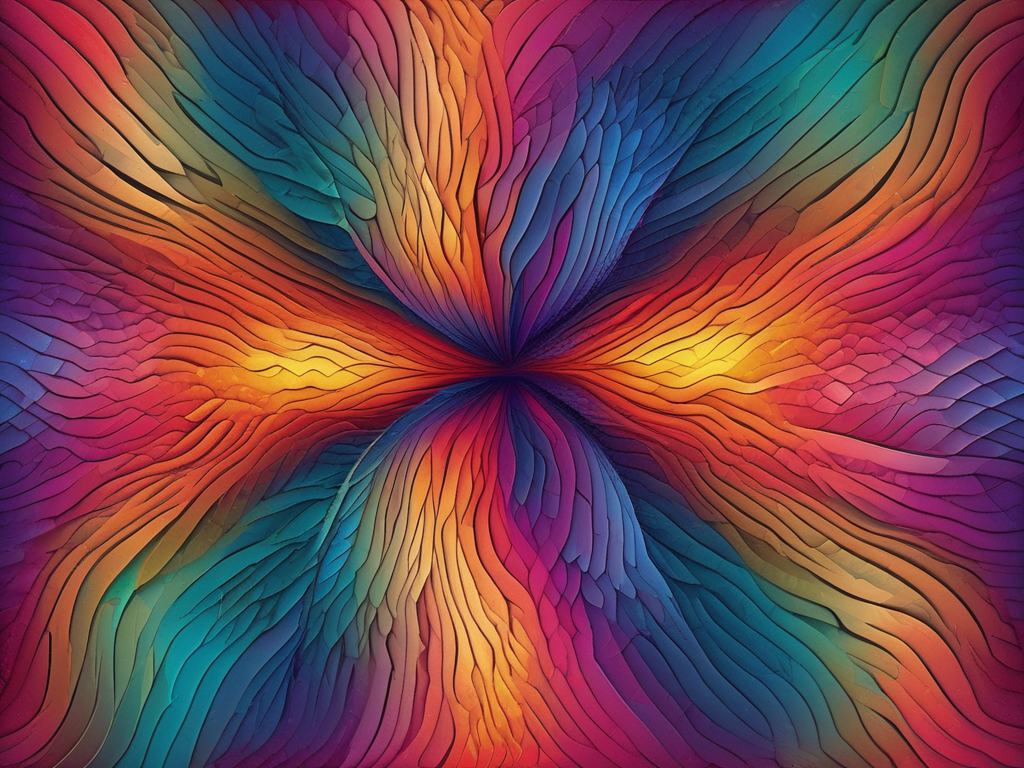
Color plays a vital role in generative art, influencing the mood, perception, and aesthetics of the artwork. Understanding how to use colors effectively is crucial for any generative artist. This blog will explore the basics of color representation, techniques for creating harmonious color palettes, and examples of how colors are used in generative art.
Color Representation in Generative Art
In generative art, colors can be expressed using different representations. Two common methods are RGB (Red, Green, Blue) and HSB (Hue, Saturation, Brightness).
RGB Color Model
The RGB color model represents colors as combinations of red, green, and blue values. Each channel ranges from 0 to 255. For example:
- (255, 0, 0) represents pure red.
- (0, 255, 0) represents pure green.
- (0, 0, 255) represents pure blue.
Here’s an example in p5.js:
javascript
Copy code
function setup() {
createCanvas(400, 400);
background(220);
fill(255, 0, 0); // Red color
ellipse(100, 200, 100, 100); // Draw a red circle
fill(0, 255, 0); // Green color
ellipse(200, 200, 100, 100); // Draw a green circle
fill(0, 0, 255); // Blue color
ellipse(300, 200, 100, 100); // Draw a blue circle
}
This code draws three circles with primary colors: red, green, and blue.
HSB Color Model
The HSB color model provides a more intuitive way to control colors. It breaks down colors into three components:
- Hue: The actual color (e.g., red, blue, yellow). It ranges from 0 to 360 degrees.
- Saturation: Determines how vivid or muted the color is. A saturation of 100% is fully saturated, while 0% is grayscale.
- Brightness: Represents the overall intensity or brightness of the color. It ranges from 0 (black) to 100 (white).
Using HSB in p5.js:
javascript
Copy code
function setup() {
createCanvas(400, 400);
colorMode(HSB, 360, 100, 100);
background(220);
fill(0, 100, 100); // Red color in HSB
ellipse(100, 200, 100, 100); // Draw a red circle
fill(120, 100, 100); // Green color in HSB
ellipse(200, 200, 100, 100); // Draw a green circle
fill(240, 100, 100); // Blue color in HSB
ellipse(300, 200, 100, 100); // Draw a blue circle
}
This code draws the same three circles, but the colors are specified using the HSB model.
Advantages of Using HSB
- Intuitive Control: HSB allows you to manipulate colors based on their essential components (hue, saturation, and brightness). You can easily adjust these parameters to achieve the desired effect.
- Smooth Transitions: When transitioning between colors (e.g., gradients), HSB provides smoother results. You can smoothly change the hue while keeping saturation and brightness consistent.
- Color Harmony: HSB makes it easier to create harmonious color palettes. You can explore different hues while maintaining consistent saturation and brightness levels.
Random Color Selection
Adding an element of randomness to your generative art can lead to exciting and dynamic results. You can randomly choose colors using the HSB model to create vibrant and diverse color variations.
Example in p5.js:
javascript
Copy code
function setup() {
createCanvas(400, 400);
colorMode(HSB, 360, 100, 100);
background(220);
for (let i = 0; i < 10; i++) {
fill(random(360), 100, 100); // Random hue
ellipse(random(width), random(height), 50, 50); // Draw circles at random positions
}
}
This code draws ten circles with random colors and positions.
Using Color Palettes
Creating and using color palettes can enhance the visual appeal of your generative art. Here are some techniques to create harmonious color palettes:
- Monochromatic Palette: Uses variations in lightness and saturation of a single color.
- Analogous Palette: Combines colors that are next to each other on the color wheel.
- Complementary Palette: Combines colors that are opposite each other on the color wheel.
- Triadic Palette: Uses three colors that are evenly spaced around the color wheel.
Example of a Complementary Palette in p5.js:
javascript
Copy code
function setup() {
createCanvas(400, 400);
colorMode(HSB, 360, 100, 100);
background(220);
fill(0, 100, 100); // Red color
rect(50, 100, 100, 200); // Draw a red rectangle
fill(180, 100, 100); // Cyan color (complementary to red)
rect(250, 100, 100, 200); // Draw a cyan rectangle
}
This code creates a complementary color scheme with red and cyan rectangles.
Conclusion
Understanding and effectively using colors is essential in generative art. Whether you use the RGB or HSB color model, experimenting with color selection and palettes can significantly enhance your artwork. By leveraging randomness and harmonious color schemes, you can create visually stunning and dynamic generative art pieces.
TL;DR for Each Section
- Introduction: Color is crucial in generative art, influencing the aesthetics and mood of the artwork.
- Color Representation in Generative Art: Learn about the RGB and HSB color models, and how to use them in your code.
- Advantages of Using HSB: HSB offers intuitive control, smooth transitions, and easier creation of harmonious color palettes.
- Random Color Selection: Adding randomness to color selection can create vibrant and dynamic art.
- Using Color Palettes: Techniques for creating harmonious color palettes to enhance the visual appeal of your art.
- Conclusion: Mastering color usage in generative art can significantly enhance your creative output.
FAQs
What is the RGB color model?
- The RGB color model represents colors as combinations of red, green, and blue values, each ranging from 0 to 255.
What is the HSB color model?
- The HSB color model represents colors using hue, saturation, and brightness, providing a more intuitive way to control colors.
How do you set the color mode to HSB in p5.js?
- Use the colorMode(HSB, 360, 100, 100) function to set the color mode to HSB.
What are the advantages of using the HSB color model?
- HSB offers intuitive control over colors, smooth transitions for gradients, and easier creation of harmonious color palettes.
How do you create a random color in p5.js?
- Use the random() function to generate random values for hue, saturation, and brightness in the HSB color model.
What is a monochromatic color palette?
- A monochromatic palette uses variations in lightness and saturation of a single color.
What is an analogous color palette?
- An analogous palette combines colors that are next to each other on the color wheel.
What is a complementary color palette?
- A complementary palette combines colors that are opposite each other on the color wheel.
What is a triadic color palette?
- A triadic palette uses three colors that are evenly spaced around the color wheel.
How do you create a complementary color scheme in p5.js?
- Choose two colors that are opposite each other on the color wheel and use them in your artwork.
Can you create gradients with the HSB color model?
- Yes, the HSB color model allows for smooth transitions between colors, making it ideal for creating gradients.
How do you apply a color to a shape in Processing?
- Use the fill() function to set the fill color for shapes.
How do you apply a color to a shape in p5.js?
- Use the fill() function to set the fill color for shapes.
Can you animate colors in generative art?
- Yes, you can animate colors by changing their values over time in your code.
What are the primary colors in the RGB model?
- The primary colors in the RGB model are red, green, and blue.
How do you draw multiple shapes with different colors in p5.js?
- Use the fill() function before each shape to set its color.
How do you choose colors for generative art?
- Experiment with different color models, palettes, and randomness to find the best colors for your artwork.
What is the significance of color harmony in generative art?
- Color harmony ensures that the colors in your artwork work well together, enhancing its visual appeal.
Can you use images for color inspiration in generative art?
- Yes, you can sample colors from images to create palettes for your generative art.
What resources are available for learning about colors in generative art?
- Numerous online tutorials, books, and community forums are available to help you learn and master color usage in generative art.
Bibliography
- Reas, Casey, and Fry, Ben. “Processing: A Programming Handbook for Visual Designers and Artists”.
- McCarthy, Lauren, Reas, Casey, and Fry, Ben. “Getting Started with p5.js”.
- Processing Official Website.
- p5.js Official Website.
 Visual Alchemist
One response to “Elevating Artistry: Color Palettes and Random Selection in Generative Art”
[…] art offers numerous avenues for customization. For instance, random selection within color palettes can dramatically change the mood and impact of a piece. Artists can also […]
LikeLike