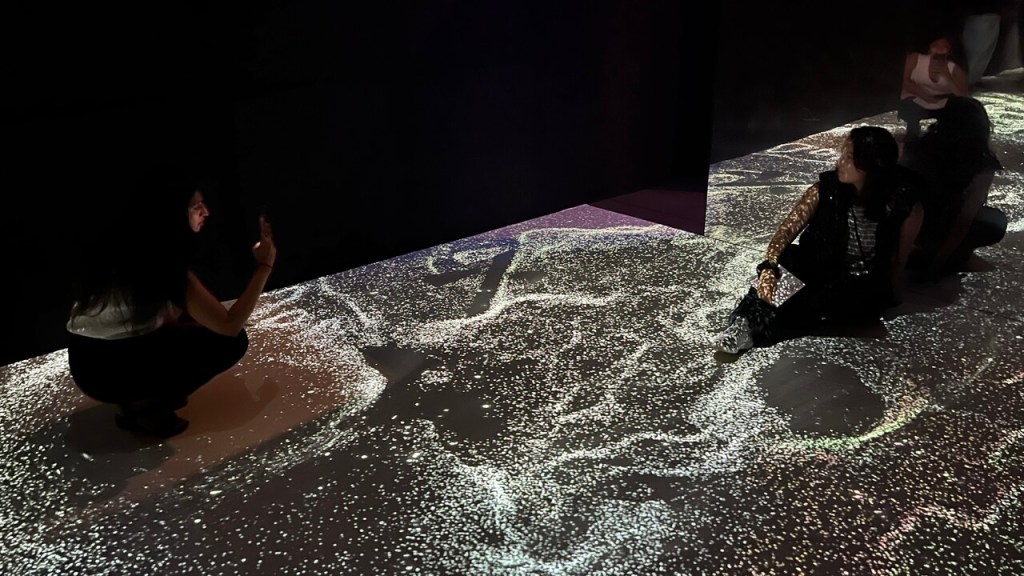
In the ever-evolving landscape of digital art, the fusion of audio and visual elements has become a hallmark of immersive experiences. TouchDesigner, a powerful visual programming environment developed by Derivative, provides artists and creators with the tools to seamlessly integrate sound and visuals in real-time. In this article, Visual Alchemist explores the process of creating captivating audio-visual experiences using TouchDesigner, offering a comprehensive guide for both beginners and experienced users.
The Power of Audio-Visual Integration
Audio-visual experiences engage multiple senses, creating a more immersive and impactful interaction for the audience. TouchDesigner excels in this area, allowing creators to manipulate audio and visual elements simultaneously. This capability is particularly beneficial for live performances, installations, and interactive art, where the synchronization of sound and visuals can evoke powerful emotional responses.
Getting Started with Audio-Visual Projects
Creating audio-visual experiences in TouchDesigner involves a step-by-step methodology that ensures a smooth workflow and stunning results. Here are the key components to consider when starting your own audio-visual project:
1. Setting Up Your Project
Before diving into the creative aspects, it’s essential to set up your TouchDesigner project correctly:
- Creating a New Project: Start by creating a new project file in TouchDesigner. Familiarize yourself with the interface and the various components available.
- Importing Audio Files: Import the audio files you wish to use in your project. TouchDesigner supports various audio formats, making it easy to integrate music, sound effects, or spoken word.
2. Building the Visual Component
The visual aspect of your project is where you can truly express your creativity:
- Using Operators: TouchDesigner operates on a node-based system, where you use operators (TOPs, CHOPs, SOPs, etc.) to create and manipulate visuals. Experiment with different operators to generate unique visual effects.
- Mapping Audio to Visuals: One of the most exciting features of TouchDesigner is the ability to map audio data to visual parameters. For instance, you can use audio amplitude to control the size, color, or movement of visual elements.
- Creating Dynamic Visuals: Explore techniques for creating dynamic visuals that respond to audio input. This could involve using oscillators, noise generators, or even real-time video feeds to create a rich visual landscape.
3. Real-Time Interaction
Interactivity is a key component of modern audio-visual experiences:
- User Input: Consider how you want your audience to interact with your installation or performance. TouchDesigner allows you to integrate various input devices, such as MIDI controllers, webcams, or sensors, to create a responsive environment.
- Feedback Loops: Create feedback loops where the visuals and audio influence each other. This can lead to unexpected and captivating results, enhancing the overall experience.
Advanced Techniques for Audio-Visual Integration
Once you have mastered the basics, you can explore more advanced techniques to enhance your audio-visual projects:
Python Scripting
TouchDesigner supports Python scripting, allowing for more complex and dynamic projects. Learning Python can significantly enhance your ability to create custom functionality and automate tasks.
Shader Programming
Shaders are used to create advanced visual effects. TouchDesigner supports GLSL shaders, which can be used to create stunning real-time graphics. While shaders require a more advanced understanding of programming, they offer limitless creative possibilities.
Networking
TouchDesigner can communicate with other software and devices over networks. This allows for the creation of distributed systems, where multiple instances of TouchDesigner can work together to create large-scale installations.
Data Visualization
TouchDesigner is increasingly being used for data visualization. It can process and display data from various sources, making it a powerful tool for creating interactive data-driven art.
Practical Tips for Successful Audio-Visual Projects
Here are some practical tips to keep in mind as you embark on your journey to create audio-visual experiences in TouchDesigner:
Experiment with Different Genres
Don’t limit yourself to one genre of music or visual style. Experimenting with various genres can lead to innovative combinations and fresh ideas.
Collaborate with Musicians and Artists
Collaboration can enrich your projects. Working with musicians, dancers, or other visual artists can provide new perspectives and inspire unique concepts.
Iterate and Refine
The creative process is often iterative. Don’t be afraid to revisit and refine your projects. Each iteration can lead to improvements and new discoveries.
Consistent Practice
Like any skill, mastering TouchDesigner requires consistent practice. Set aside regular time to work on projects and experiment with new features.
Seek Feedback
Sharing your work and seeking feedback from the community can provide valuable insights and help you improve. Constructive criticism can be a powerful tool for growth.
Case Studies: TouchDesigner in Action
TouchDesigner is used in a wide range of applications, from art installations to commercial projects. Here are a few examples of how TouchDesigner is being used in the real world:
Interactive Art Installations
Artists use TouchDesigner to create interactive installations that respond to audience input. These installations often use sensors, cameras, and other input devices to create immersive experiences.
Live Performances
Musicians and performers use TouchDesigner to create real-time visuals that accompany their performances. This can include everything from simple visualizations to complex interactive graphics.
Architectural Projections
TouchDesigner is used in architectural projection mapping, where visuals are projected onto buildings and other structures. This can transform ordinary surfaces into dynamic, interactive displays.
Commercial Installations
Brands and companies use TouchDesigner for commercial installations, such as interactive kiosks and digital signage. These installations often combine visuals, touchscreens, and other interactive elements to engage customers.
Data-Driven Art
Artists use TouchDesigner to create data-driven art, where data is used to generate visuals. This can include everything from visualizing real-time data streams to creating art based on historical data sets.
Future Trends and Developments
TouchDesigner continues to evolve, with new features and capabilities being added regularly. Here are a few trends and developments to watch for:
Integration with Emerging Technologies
TouchDesigner is increasingly being integrated with emerging technologies such as augmented reality (AR) and virtual reality (VR). This allows for the creation of immersive experiences that blend the physical and digital worlds.
Improved Performance and Scalability
As hardware continues to improve, TouchDesigner is becoming more powerful and scalable. This allows for the creation of larger and more complex projects, such as multi-channel installations and large-scale events.
Enhanced Collaboration Tools
New tools and features are being developed to support collaboration between multiple users. This makes it easier for teams to work together on projects and share resources.
AI and Machine Learning
TouchDesigner is beginning to incorporate AI and machine learning capabilities. This opens up new possibilities for creating intelligent and adaptive installations that can respond to their environment and audience.
Creating audio-visual experiences in TouchDesigner is a rewarding endeavor that allows artists to explore the boundaries of creativity and technology. By following the insights and methodologies shared in this guide, you can harness the full potential of this powerful tool. Whether you’re designing an interactive installation, a live performance, or a multimedia artwork, the integration of audio and visuals will elevate your project and engage your audience in profound ways. Embrace the journey of exploration and experimentation, and let your creativity shine through the captivating world of audio-visual art.
 Visual Alchemist