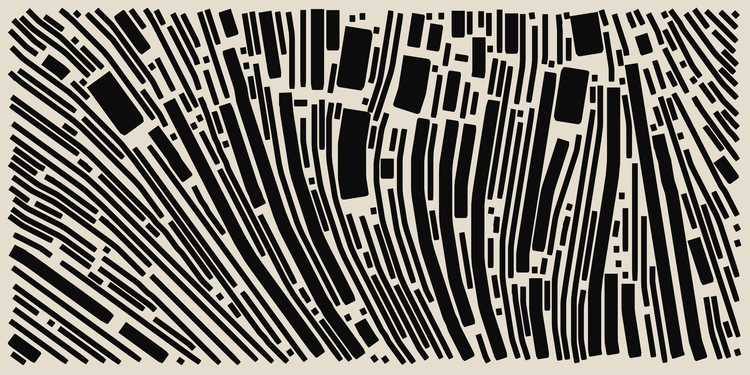
Generative art is a captivating intersection of creativity and computation, where artists use algorithms to produce visual works. JavaScript, with its robust libraries and wide browser support, has emerged as a powerful tool in this domain. This blog explores the application of JavaScript in generative art, highlighting its history, usage, famous artists, and some beginner projects to get you started.
History of JavaScript in Generative Art
Early Adoption and Evolution
JavaScript’s journey in generative art began in the early 2000s, coinciding with the rise of interactive web technologies. Initially used for basic animations and simple visual effects, JavaScript quickly evolved into a robust language for complex generative projects. The introduction of HTML5 and the Canvas API in 2004 was a pivotal moment, providing artists with a powerful tool to create intricate, dynamic visuals directly in the browser.
Influential Milestones
Key milestones in the history of JavaScript in generative art include the development of libraries such as Processing.js and p5.js. Processing.js, a port of the Java-based Processing language, allowed artists to leverage the simplicity of Processing with the ubiquity of JavaScript. Later, p5.js, created by Lauren McCarthy, further simplified generative coding by providing an intuitive syntax and extensive documentation.
Impact on the Art Community
The impact of JavaScript on the art community has been profound. It democratized access to generative art by lowering the barrier to entry, enabling artists without extensive programming backgrounds to explore algorithmic creativity. This accessibility spurred a wave of innovation, resulting in a vibrant community of artists sharing their work and collaborating online.
Usage of JavaScript in Generative Art
Popular Libraries and Tools
JavaScript’s versatility is showcased through various libraries and tools designed for generative art. Libraries such as p5.js, Three.js, and D3.js offer a range of functionalities from 2D and 3D graphics to data visualization. p5.js, in particular, is favored for its user-friendly interface, making it ideal for beginners and educators.
Creating Interactive Art
JavaScript excels in creating interactive generative art. Artists can use JavaScript to respond to user inputs such as mouse movements, clicks, and keyboard interactions, adding a dynamic layer to their creations. The real-time capabilities of JavaScript enable the creation of responsive and engaging art pieces that can adapt and change based on viewer interactions.
Integration with Other Technologies
The integration of JavaScript with other technologies such as WebGL, SVG, and HTML5 allows artists to push the boundaries of what is possible in generative art. WebGL, for instance, enables high-performance 3D graphics rendering, while SVG offers scalability and precision for vector-based art. These integrations enhance the versatility and scope of generative projects.
Famous Artists Using JavaScript
Casey Reas and Ben Fry
Casey Reas and Ben Fry, the creators of the Processing language, have significantly influenced the generative art scene. Their contributions extend to Processing.js, which brought the capabilities of Processing to the JavaScript world, enabling a new generation of web-based generative artists.
Lauren McCarthy
Lauren McCarthy, the developer behind p5.js, is another prominent figure in the JavaScript generative art community. Her work emphasizes accessibility and education, making generative art more approachable for beginners and fostering a supportive learning environment.
Tyler Hobbs
Tyler Hobbs is known for his intricate generative art pieces created using JavaScript and p5.js. His work often explores themes of natural patterns and geometric abstraction, demonstrating the expressive potential of generative algorithms.
Pros and Cons of Using JavaScript in Generative Art
Pros
- Accessibility: JavaScript is widely known and used, making it easy for artists to get started with generative art.
- Interactivity: The language’s capabilities for handling user inputs make it ideal for creating interactive art.
- Browser Compatibility: JavaScript runs in all modern browsers, allowing artworks to be easily shared and viewed.
Cons
- Performance Limitations: For highly complex or resource-intensive projects, JavaScript may struggle with performance compared to lower-level languages.
- Learning Curve: While JavaScript is accessible, mastering its intricacies for advanced generative art can be challenging.
- Security Concerns: Running JavaScript in the browser can pose security risks, necessitating careful coding practices.
Beginner Project Tutorials
1. Random Walker (p5.js) This project introduces the concept of randomness in generative art. By simulating a “walker” that moves randomly on the screen, beginners can explore how simple rules can create intriguing patterns. Watch the tutorial here.
2. Interactive Particle System (Three.js) Learn how to create a particle system that responds to user interactions. This project covers the basics of Three.js and demonstrates how to manipulate 3D objects in real-time. Watch the tutorial here.
3. Generative Flowers (p5.js) Create beautiful flower patterns using recursive algorithms. This project is perfect for understanding recursion and its applications in art. Watch the tutorial here
JavaScript has revolutionized the field of generative art, offering accessibility, versatility, and powerful tools for artists. Its role in democratizing algorithmic art cannot be overstated, as it enables creators to experiment and share their work widely. As JavaScript continues to evolve, its applications in generative art will undoubtedly expand, opening new possibilities for creative expression.
TL;DR
- JavaScript is a powerful tool for generative art, thanks to its accessibility and robust libraries.
- Key milestones include the development of Processing.js and p5.js.
- Famous artists like Casey Reas, Ben Fry, Lauren McCarthy, and Tyler Hobbs have significantly contributed to the field.
- Pros include accessibility, interactivity, and browser compatibility, while cons involve performance limitations and security concerns.
- Beginner projects like Random Walker, Interactive Particle System, and Generative Flowers are great starting points.
FAQs
- What is generative art? Generative art refers to artworks created using autonomous systems or algorithms that generate outputs based on predefined rules.
- Why use JavaScript for generative art? JavaScript is accessible, widely supported by browsers, and has robust libraries like p5.js and Three.js that make it ideal for creating interactive and dynamic generative art.
- What are some famous JavaScript libraries for generative art? Popular libraries include p5.js, Three.js, and D3.js, each offering unique features for creating 2D, 3D, and data-driven generative art.
- Can beginners start with JavaScript for generative art? Yes, JavaScript’s accessibility and extensive documentation make it a great starting point for beginners in generative art.
- What are some common projects for beginners? Projects like Random Walker, Interactive Particle System, and Generative Flowers are popular starting points.
- Who are some notable artists using JavaScript in generative art? Notable artists include Casey Reas, Ben Fry, Lauren McCarthy, and Tyler Hobbs.
- What are the benefits of using JavaScript for generative art? Benefits include accessibility, the ability to create interactive art, and widespread browser compatibility.
- Are there any performance limitations with JavaScript in generative art? Yes, JavaScript may struggle with highly complex or resource-intensive projects compared to lower-level languages.
- How does JavaScript handle interactivity in generative art? JavaScript can respond to user inputs such as mouse movements, clicks, and keyboard interactions, making it ideal for interactive art.
- What tools are needed to start with JavaScript generative art? Tools include a code editor, a web browser, and libraries like p5.js or Three.js.
- Can JavaScript be integrated with other technologies for generative art? Yes, JavaScript can be integrated with technologies like WebGL, SVG, and HTML5 for enhanced capabilities.
- What are some educational resources for learning JavaScript generative art? Resources include online tutorials, documentation on p5.js and Three.js websites, and community forums.
- Is JavaScript suitable for creating professional generative art? Yes, many professional artists use JavaScript for its versatility and wide reach.
- How do artists share their JavaScript generative art? Artists can share their work through websites, online galleries, and social media platforms.
- What are some advanced techniques in JavaScript generative art? Advanced techniques include using machine learning algorithms, creating 3D visualizations, and integrating real-time data sources.
 Visual Alchemist