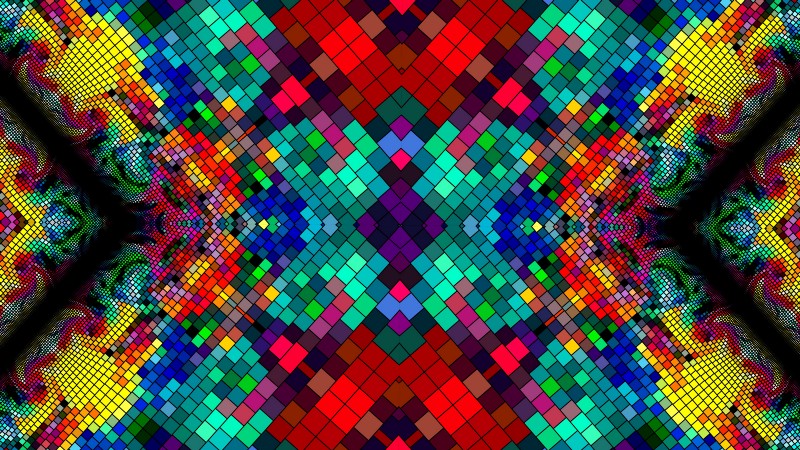
Python has emerged as a popular language for generative art due to its simplicity, versatility, and the extensive range of libraries available. This blog explores how Python is used in generative art projects, providing an in-depth look at its history, usage, famous artists, and beginner tutorials.
History of Python in Generative Art
Early Days and Development
Python, created by Guido van Rossum and first released in 1991, was initially developed as an easy-to-read language that supports multiple programming paradigms. Over time, its simplicity and readability made it a favorite among artists and developers for creative coding.
Growth and Adoption
The early 2000s saw Python being increasingly adopted in various fields, including generative art. Libraries such as PIL (Python Imaging Library) and Pygame provided early tools for creating visual and interactive art. The real turning point came with the introduction of more specialized libraries tailored for generative art and scientific computing.
Influence on the Art Community
Python’s influence on the art community has been significant, providing a versatile tool for artists to explore new creative avenues. The language’s accessibility and the supportive community have encouraged many artists to experiment with generative techniques, leading to a rich and diverse body of work.
Usage of Python in Generative Art
Popular Libraries and Frameworks
Python’s ecosystem boasts several libraries that are ideal for generative art:
- Pillow: An image processing library that allows artists to manipulate images easily.
- Turtle: A standard Python library that introduces programming to beginners through basic graphics.
- Matplotlib: Primarily used for plotting data, but also useful for creating complex visual patterns.
- Processing.py: A Python mode for Processing, which combines the simplicity of Python with the capabilities of Processing.
Creating Interactive Art
Python is well-suited for creating interactive generative art. Libraries like Pygame enable the creation of real-time interactive applications. Additionally, the ease of integration with hardware and sensors makes Python an excellent choice for interactive installations.
Integration with Data and AI
Python’s strength in data processing and AI allows artists to create data-driven generative art. Libraries such as Pandas and NumPy enable complex data manipulations, while TensorFlow and Keras can be used for incorporating machine learning models into generative projects.
Famous Artists Using Python
Andreas Gysin
Andreas Gysin, a notable generative artist, frequently uses Python in his works. His projects often involve interactive installations and visual experiments that explore the boundaries between art and technology.
Matt DesLauriers
Matt DesLauriers is known for his work with creative coding and generative art, using Python alongside JavaScript and other technologies. His projects range from intricate digital artworks to interactive installations.
Manolo Gamboa Naon
Manolo Gamboa Naon, an Argentinian artist, uses Python to create complex generative art pieces. His work is characterized by geometric patterns and vibrant colors, often exploring the relationship between order and chaos.
Pros and Cons of Using Python in Generative Art
Pros
- Ease of Use: Python’s simple syntax and readability make it accessible for artists without extensive programming backgrounds.
- Rich Ecosystem: The extensive range of libraries available for Python supports a wide variety of generative art projects.
- Community Support: A large and active community provides numerous resources, tutorials, and forums for troubleshooting and inspiration.
Cons
- Performance Limitations: Python can be slower than other languages like C++ for highly intensive graphical computations.
- Limited Native Graphics Capabilities: While there are many libraries available, Python’s native support for graphics is not as strong as some other languages.
- Dependency Management: Managing libraries and dependencies can sometimes be challenging, especially for beginners.
Beginner Project Tutorials
1. Generative Spirals (Turtle Graphics) This project uses the Turtle library to create beautiful spiral patterns. It introduces basic concepts of loops and drawing with Python. Watch the tutorial here.
2. Mandelbrot Set Visualization (Matplotlib) Learn how to visualize the Mandelbrot set, a famous fractal, using Matplotlib. This project covers basic data plotting and fractal mathematics. Watch the tutorial here.
3. Interactive Art with Pygame Create interactive art using Pygame. This project shows how to respond to user inputs and create dynamic visual effects. Watch the tutorial here.
Python’s versatility and ease of use make it a powerful tool for generative art. Its extensive library support and integration capabilities allow artists to explore a wide range of creative possibilities, from simple graphics to complex data-driven art. As Python continues to evolve, it will undoubtedly remain a key player in the field of generative art.
TL;DR
- Python is a popular language for generative art due to its simplicity and extensive library support.
- Key libraries include Pillow, Turtle, Matplotlib, and Processing.py.
- Notable artists using Python include Andreas Gysin, Matt DesLauriers, and Manolo Gamboa Naon.
- Pros include ease of use, rich ecosystem, and strong community support, while cons involve performance limitations and dependency management.
- Beginner projects like Generative Spirals, Mandelbrot Set Visualization, and Interactive Art with Pygame are excellent starting points.
FAQs
- What is generative art? Generative art involves creating artworks using algorithms or systems that generate outputs based on predefined rules.
- Why use Python for generative art? Python is user-friendly, has a wide range of libraries, and is supported by a large community, making it ideal for generative art.
- What are some popular Python libraries for generative art? Popular libraries include Pillow, Turtle, Matplotlib, and Processing.py.
- Can beginners use Python for generative art? Yes, Python’s simple syntax and extensive documentation make it accessible for beginners.
- What are some common beginner projects for Python generative art? Projects like Generative Spirals, Mandelbrot Set Visualization, and Interactive Art with Pygame are popular starting points.
- Who are some notable artists using Python in generative art? Notable artists include Andreas Gysin, Matt DesLauriers, and Manolo Gamboa Naon.
- What are the benefits of using Python for generative art? Benefits include ease of use, rich ecosystem, and strong community support.
- Are there any performance limitations with Python in generative art? Yes, Python can be slower than lower-level languages for intensive graphical computations.
- How does Python handle interactivity in generative art? Python, with libraries like Pygame, can handle real-time interactions and user inputs, making it ideal for interactive art.
- What tools are needed to start with Python generative art? Tools include a code editor, Python interpreter, and libraries like Pillow, Turtle, and Matplotlib.
- Can Python be integrated with other technologies for generative art? Yes, Python can be integrated with data processing and AI technologies, enhancing generative art capabilities.
- What are some educational resources for learning Python generative art? Resources include online tutorials, documentation on library websites, and community forums.
- Is Python suitable for creating professional generative art? Yes, many professional artists use Python for its versatility and wide range of libraries.
- How do artists share their Python generative art? Artists can share their work through websites, online galleries, and social media platforms.
- What are some advanced techniques in Python generative art? Advanced techniques include using AI models, data visualization, and real-time interactive installations.
 Visual Alchemist
2 responses to “Python for Generative Art”
[…] tools like TouchDesigner and Python for generative art continue to evolve, so does the scope of what artists can achieve. These […]
LikeLike
[…] exploration of generative art through OpenFrameworks and Python highlights the versatility of programming languages in producing diverse visual […]
LikeLike