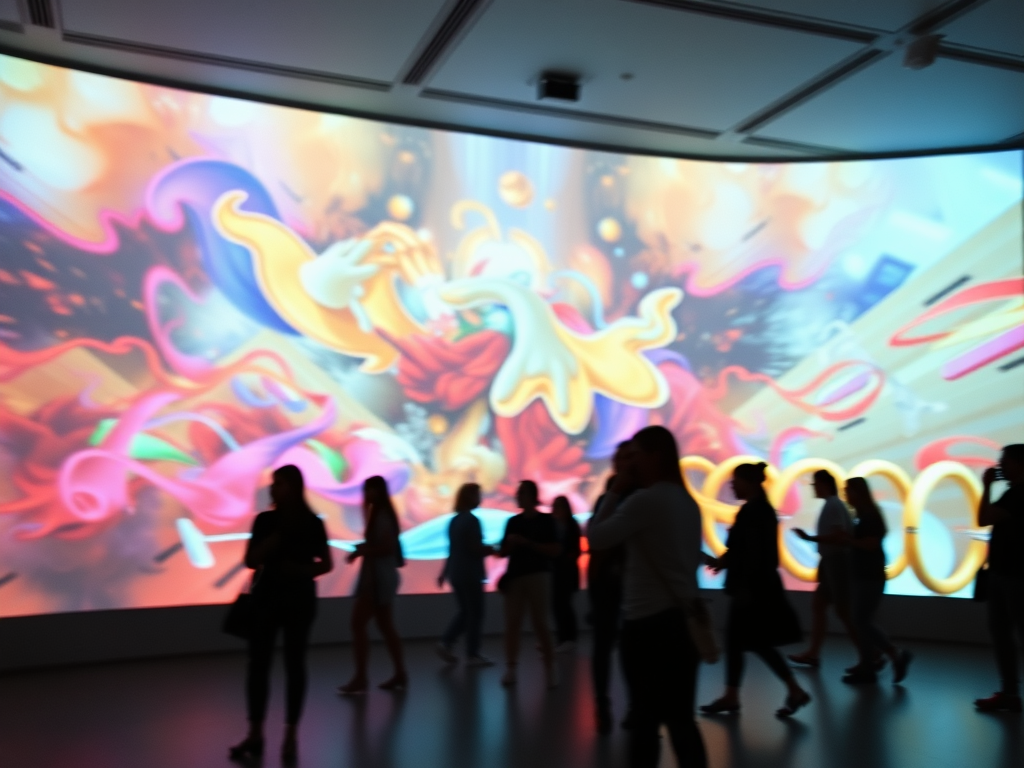
In recent years, interactive art has emerged as a powerful medium that engages audiences in ways traditional forms of art cannot. By integrating technology with creative expression, artists are now able to design experiences that react to human movement, making viewers active participants in the creative process. One of the most compelling advancements in this space is motion-based interactive art.
In this blog post, we’ll explore how motion-based interactive art works, the technology behind it, and the ways in which it is transforming the creative landscape. We’ll also dive into practical steps to help you get started in creating your own motion-responsive artwork.
What is Motion-Based Interactive Art?
Motion-based interactive art refers to artworks or installations that respond dynamically to the movements of viewers. Unlike traditional static pieces, motion-based art involves a layer of interaction where the artwork evolves based on the presence and actions of the audience. This could mean changes in visual effects, sounds, or even the physical elements of the piece itself.
For example, a motion-based installation might project abstract visuals onto a wall that change in real-time based on the movements of people standing in front of it. In another case, the viewer’s hand gestures might control the colors or shapes in a digital artwork. The possibilities are virtually endless, making it a powerful tool for artists who want to create immersive experiences.
How Motion Sensors and Technology Work in Interactive Art
To achieve this level of interaction, motion-based interactive art relies on a combination of sensors, software, and real-time data processing. Here’s a breakdown of the technology typically used:
1. Motion Sensors
Motion-based art installations usually involve one or more types of sensors that track human movement. Common technologies include:
- Infrared Sensors: These detect body heat and track the presence and movement of people in a space.
- Cameras with Motion Detection: Advanced algorithms analyze video feed in real-time to detect and interpret motion, often using tools like OpenCV.
- Kinect Sensors: Originally developed by Microsoft, Kinect is a popular tool in motion-based interactive art. It uses depth sensors to create a 3D map of a space and detect movements with high precision.
2. Software
The software interprets data from the sensors and translates it into actions within the artwork. Popular platforms used in motion-based interactive art include:
- Processing: A flexible coding environment perfect for integrating visuals and interactivity.
- TouchDesigner: Widely used for real-time interactive installations, especially those that involve projection mapping and live visuals.
- Max/MSP: A visual programming language for music and multimedia, often used for creating interactive soundscapes that react to movement.
3. Real-Time Data Processing
Real-time data processing is crucial for ensuring the art reacts immediately to viewer movements. Frameworks like OpenFrameworks or p5.js allow artists to create responsive visuals that shift and evolve based on the audience’s behavior. These platforms make it possible to implement intricate layers of interaction, from color changes and shape manipulations to complex animations and sound effects.
The Creative Potential of Motion-Based Interactive Art
The beauty of motion-based interactive art lies in its dynamic nature. Unlike traditional artworks that remain static regardless of who is viewing them, motion-based art responds directly to the viewer, offering an ever-changing experience. Here’s how this interaction enhances the creative potential:
1. Personalized Experiences
Every individual interacts with the artwork in a unique way, making their experience distinct from that of others. For example, a motion-based art piece might adjust its visuals based on how fast or slow a viewer moves through the space, creating personalized experiences for each participant.
2. Audience as Collaborators
In motion-based interactive art, the audience becomes a key player in the creation of the artwork itself. Their movements or gestures are integral to how the piece unfolds. This co-creation transforms viewers from passive observers into active collaborators.
3. Immersive Environments
Many motion-based installations use immersive technologies such as projection mapping, virtual reality (VR), or augmented reality (AR) to envelop the viewer in a fully interactive environment. For example, large-scale installations can project visuals across multiple surfaces, with every movement of the viewer causing ripples of change across the space.
Case Study: Interactive Art at the Tate Modern
A standout example of motion-based interactive art is the “Turbine Hall” project at the Tate Modern in London. The project involved an expansive motion-responsive installation that used a combination of infrared motion sensors and projection mapping. As visitors moved through the hall, the projection on the walls and floor shifted to reflect their movements, creating a dynamic dialogue between the viewers and the artwork.
The installation was a perfect demonstration of how motion-based interactive art can turn a space into a living, breathing canvas, continuously evolving based on the actions of those who occupy it.
Tools and Platforms for Creating Motion-Based Interactive Art
Creating motion-based interactive art requires a blend of hardware, software, and creativity. Below are some tools and platforms you can explore:
1. Processing
Processing is a flexible, beginner-friendly platform that simplifies the coding process for creating interactive art. With a large community and a wealth of libraries, you can use Processing to create both basic and complex motion-based art installations. Its integration with motion sensors makes it an ideal starting point.
2. Kinect for Windows SDK
Kinect is a popular choice for artists looking to work with 3D depth sensing and body tracking. Using Kinect in combination with the Kinect for Windows SDK, you can track viewers’ entire body movements and map those movements to visuals or audio responses in your artwork.
3. TouchDesigner
TouchDesigner is a powerful visual programming environment widely used for real-time interactive installations. Its flexibility allows artists to work with sensors, cameras, and other inputs to create interactive motion-based art. Whether you’re working with projection mapping or real-time visuals, TouchDesigner offers a robust framework for creating immersive experiences.
4. Max/MSP
For artists interested in motion-based sound design or audio-visual installations, Max/MSP is an essential tool. It allows you to create complex soundscapes that evolve based on motion data. Many artists use Max/MSP in combination with Kinect or motion-detecting cameras to create multisensory experiences.
5. OpenFrameworks
An open-source C++ toolkit, OpenFrameworks is popular among artists looking to create complex, high-performance interactive art installations. Its wide-ranging functionality includes motion detection, computer vision, and real-time audio-visual generation. While it has a steeper learning curve compared to Processing, its flexibility makes it a favorite for large-scale installations.
Step-by-Step Guide: How to Create Your Own Motion-Based Interactive Art
If you’re new to the world of interactive art, creating a motion-responsive piece can seem daunting. Here’s a step-by-step guide to get you started:
Step 1: Choose Your Hardware
Start by deciding how you want to capture motion. Popular options include:
- Webcam: Use this if you want to track basic movement.
- Kinect: Ideal for capturing full-body motion and depth.
- Infrared Sensors: Great for detecting the presence and general movement of participants in a space.
Step 2: Set Up Your Software
For beginners, Processing is a great tool. Here’s a simple way to get started:
- Download and install Processing from processing.org.
- Install the Video Library to access your webcam or Kinect.
Step 3: Write Your Code
Here’s a basic code snippet in Processing to detect motion with a webcam:
import processing.video.*;

Capture video;
PImage prevFrame;

void setup() {
  size(640, 480);
  video = new Capture(this, 640, 480);
  video.start();
  prevFrame = createImage(video.width, video.height, RGB);
}

void draw() {
  if (video.available()) {
    video.read();
  }
  image(video, 0, 0);

  loadPixels();
  video.loadPixels();
  prevFrame.loadPixels();

  for (int i = 0; i < video.pixels.length; i++) {
    color currColor = video.pixels[i];
    color prevColor = prevFrame.pixels[i];
    float diff = dist(red(currColor), green(currColor), blue(currColor), red(prevColor), green(prevColor), blue(prevColor));

    if (diff > 50) {
      pixels[i] = color(255, 0, 0); // change pixels to red where motion is detected
    }
  }
  updatePixels();

  prevFrame.copy(video, 0, 0, video.width, video.height, 0, 0, prevFrame.width, prevFrame.height);
}
This simple code detects motion and highlights areas with red where it finds movement. From here, you can build more complex interactions based on your project.
Step 4: Customize Your Art
Once you have basic motion detection working, you can start customizing how the artwork responds to the motion. For example:
- Change colors based on the speed of movement.
- Alter shapes or textures depending on the viewer’s distance from the sensor.
- Add sound effects or ambient music that reacts to the viewer’s actions.
Step 5: Test and Iterate
Run the program and observe how it interacts with viewer movement. Fine-tune the sensitivity of the motion detection, or experiment with different motion sensors for more precise tracking.
Motion-Based Interactive Art
As technology advances, motion-based interactive art will continue to push the boundaries of audience engagement. Emerging technologies such as LiDAR, machine learning, and artificial intelligence (AI) are poised to offer artists even more powerful tools for creating art that dynamically responds to human behavior in real time.
AI, in particular, has the potential to transform how we interact with motion-based art. By learning from viewers’ past interactions, AI systems could allow artworks to evolve over time, becoming more personalized and immersive with every interaction.
In addition, as virtual reality (VR) and augmented reality (AR) technology becomes more mainstream, motion-based interactive art will play an even larger role in creating fully immersive, 360-degree experiences that blend physical and virtual environments.
Motion-based interactive art is opening new doors for both artists and audiences, creating a dynamic relationship between the viewer and the artwork.

 Visual Alchemist
Leave a comment